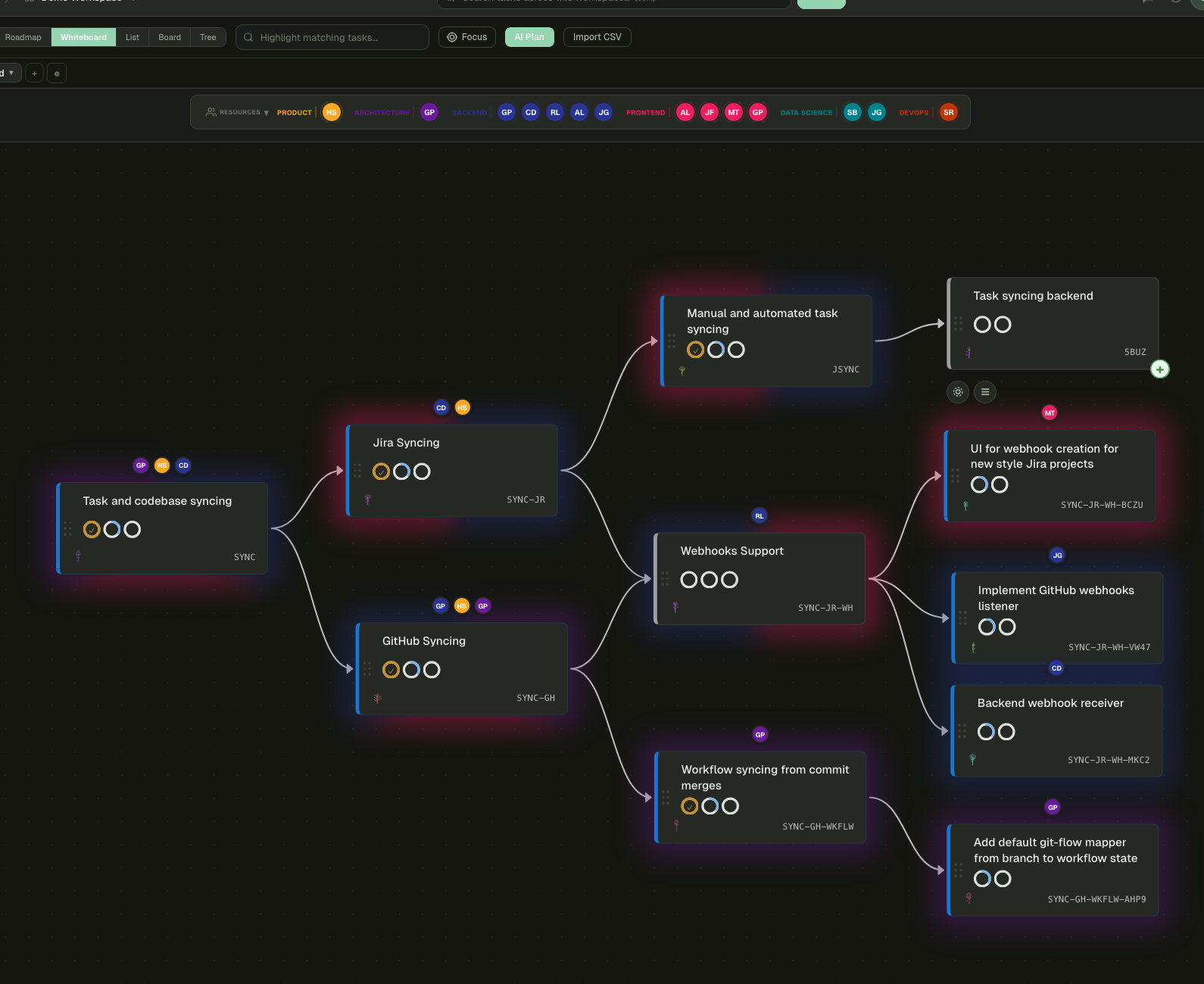
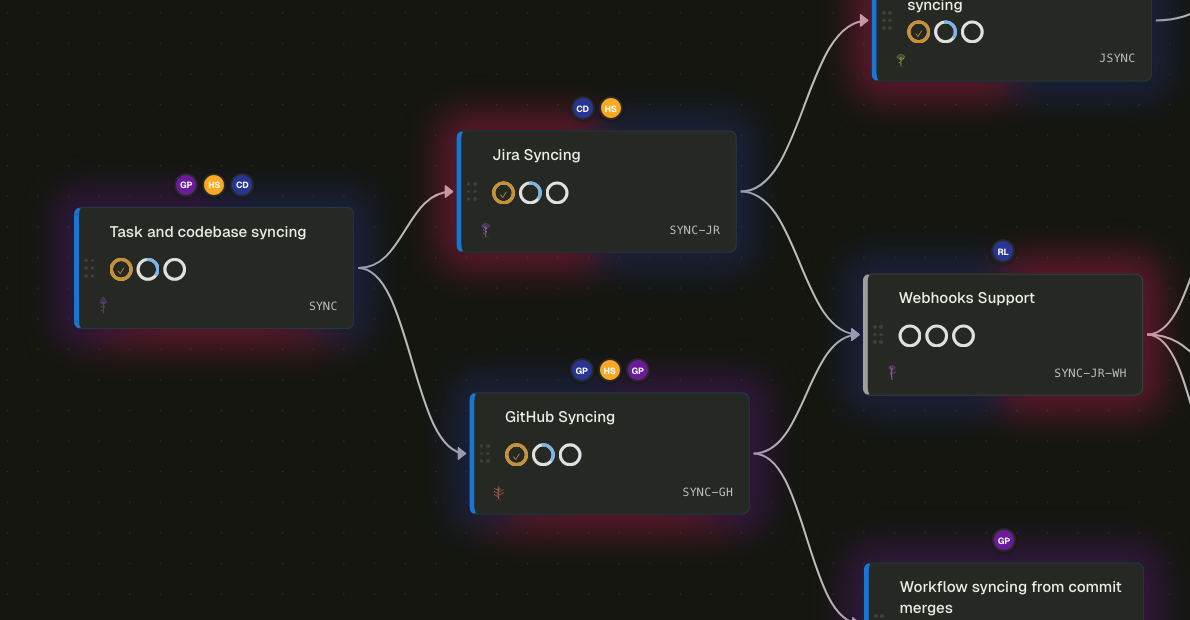
A multi-parent DAG, not a tree
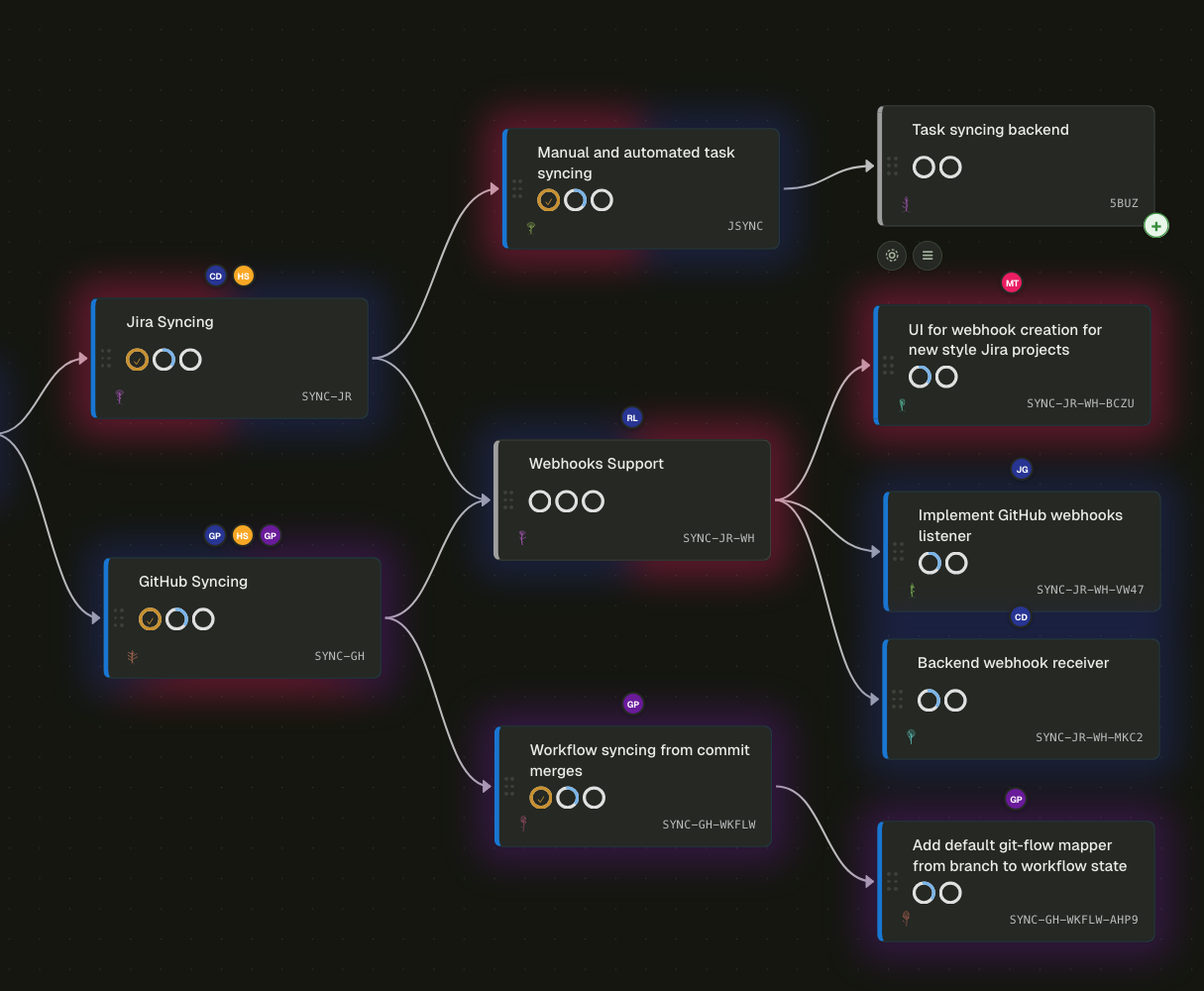
A task can have many parents. The work that gates four initiatives shows up once, with four edges, not four duplicated tickets. Dependency edges sit alongside parent edges so cross-team coupling is visible at a glance.
vs. the rest Jira issue links are unidirectional metadata. Linear and ADO model strict parent–child. Pando treats the graph as the data.
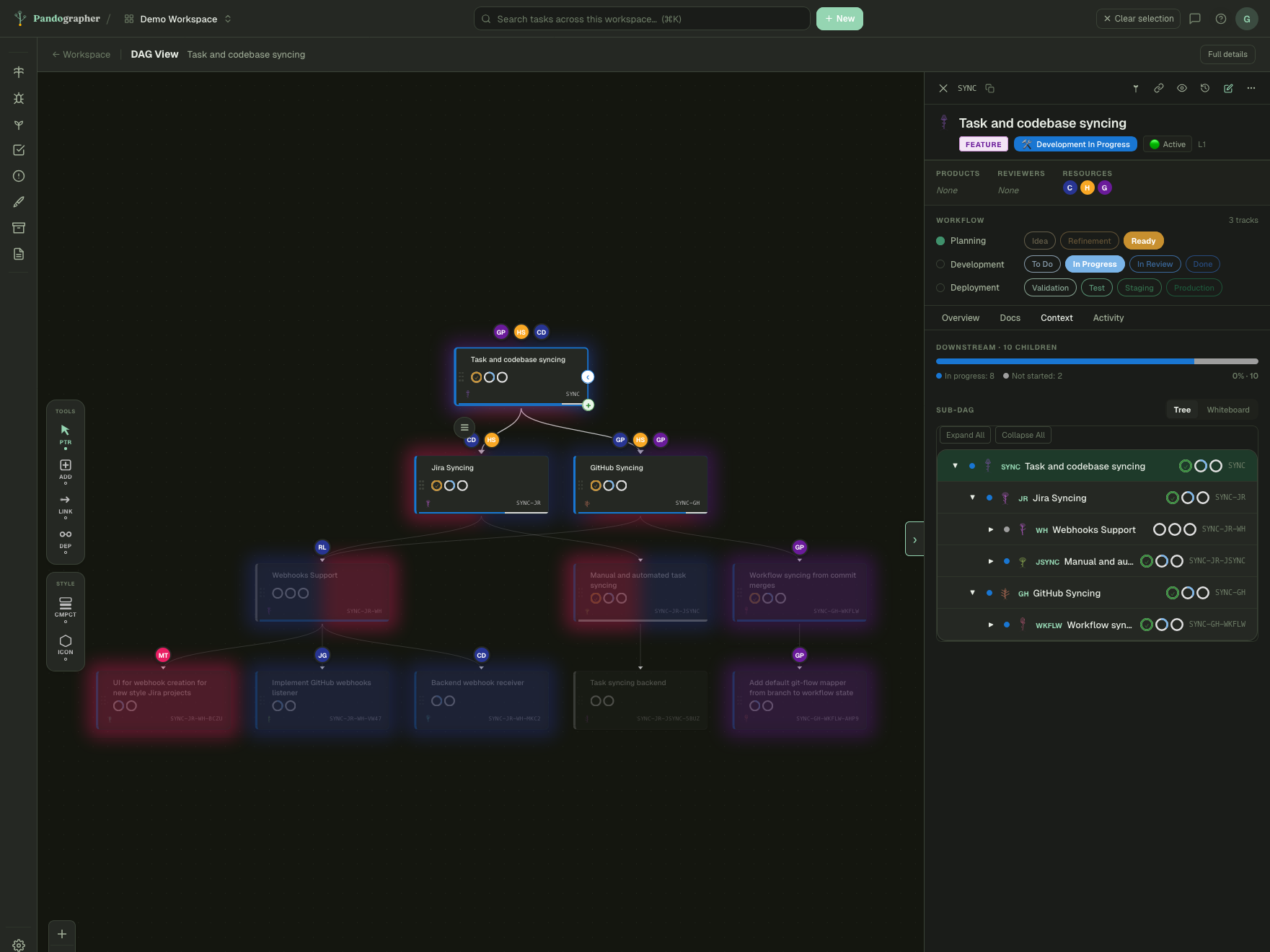
DAG View: the focused branching path
Pick any task and Pando renders just its ancestors and descendants as an interactive sub-DAG. You see what gates it, what it gates, and where the cross-team handoffs land — without zooming out to the whole roadmap.
vs. the rest Other tools give you an issue page with a flat 'linked issues' list. Pando gives you the branching path.
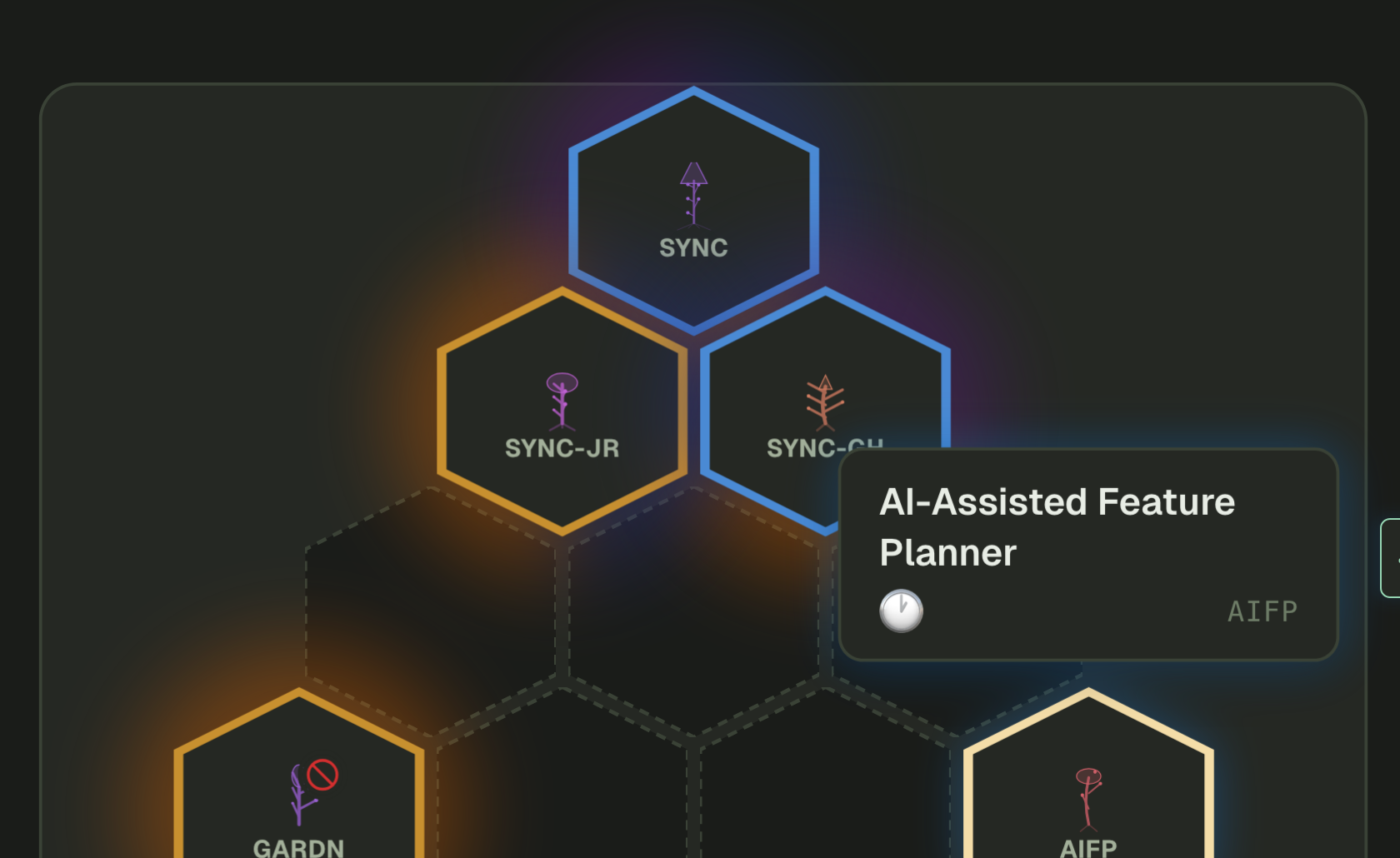
Garden + Sprouts for feature prioritization
Sprouts shows you the orphaned features ready to plan, with priority / difficulty / impact scoring inline. The Garden lays them out spatially so the conversation is 'where on the map does this go' rather than 'what's the next row in the backlog'.
vs. the rest Jira backlogs sort by drag order; Linear sorts by priority enum. Neither gives you a spatial view that maps to how teams actually argue about scope.
Planning documents that live on the task
RFCs, design docs, and runbooks attach directly to the ticket. Inline anchored comments, reviewer assignments, version history with restore, and a markdown editor that handles attachments. Planning and execution share a surface.
vs. the rest Confluence + Jira is two tools with a hyperlink between them. Pando is one tool where the doc is part of the task's lifecycle.
AI Planner + MCP server: bring your agents
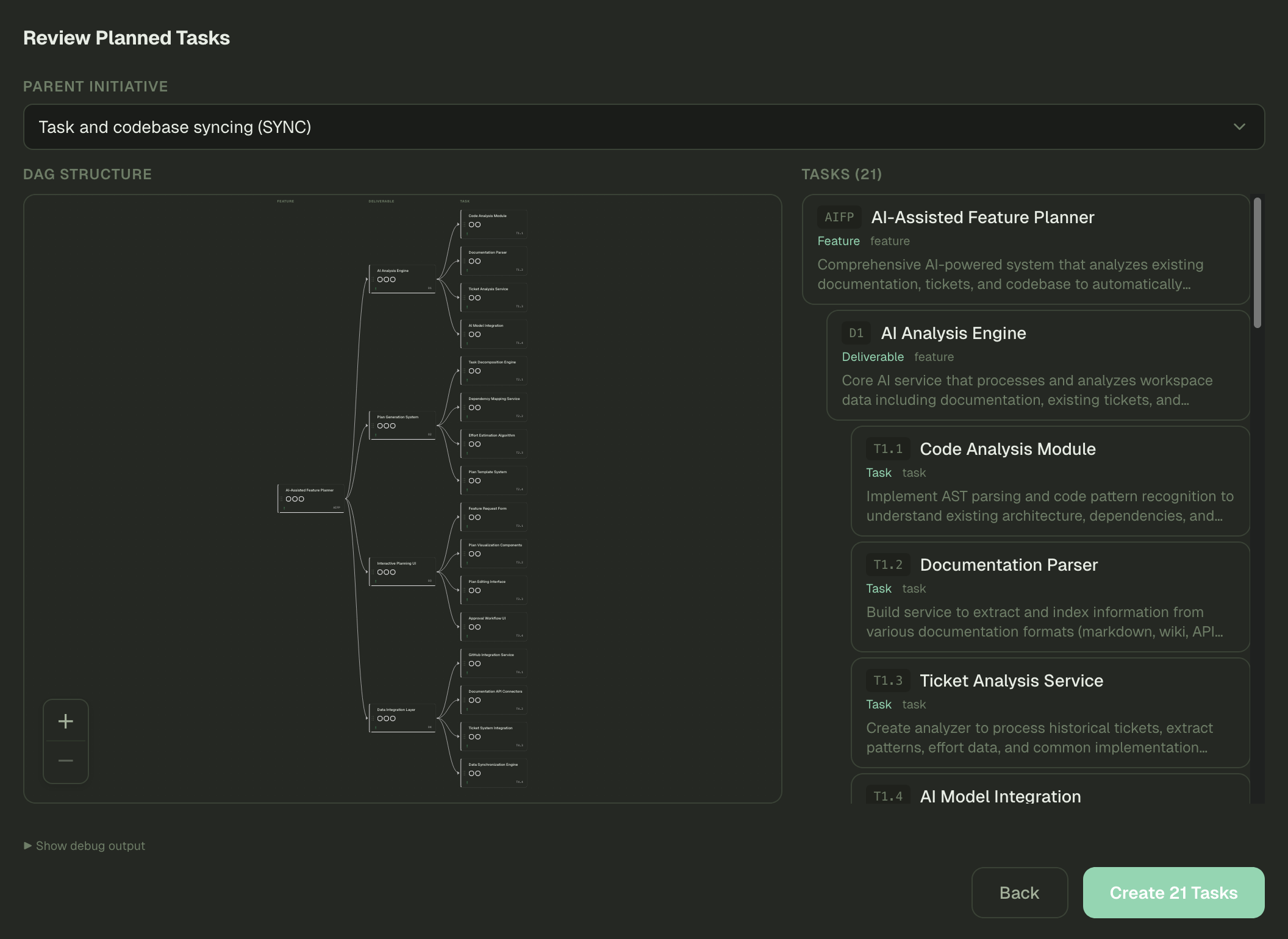
Pando exposes itself as an MCP server, so Claude (or any MCP client) can read your DAG, create tasks, link dependencies, and draft plans natively. The in-app AI Planner gives you a side-by-side preview before anything writes — you stay in the driver seat.
vs. the rest Jira and Linear bolt AI on as a chat sidebar. Pando is queryable and editable by your coding agents without a screen-scraping integration.
My Work: tasks, reviews, and PRs in one view
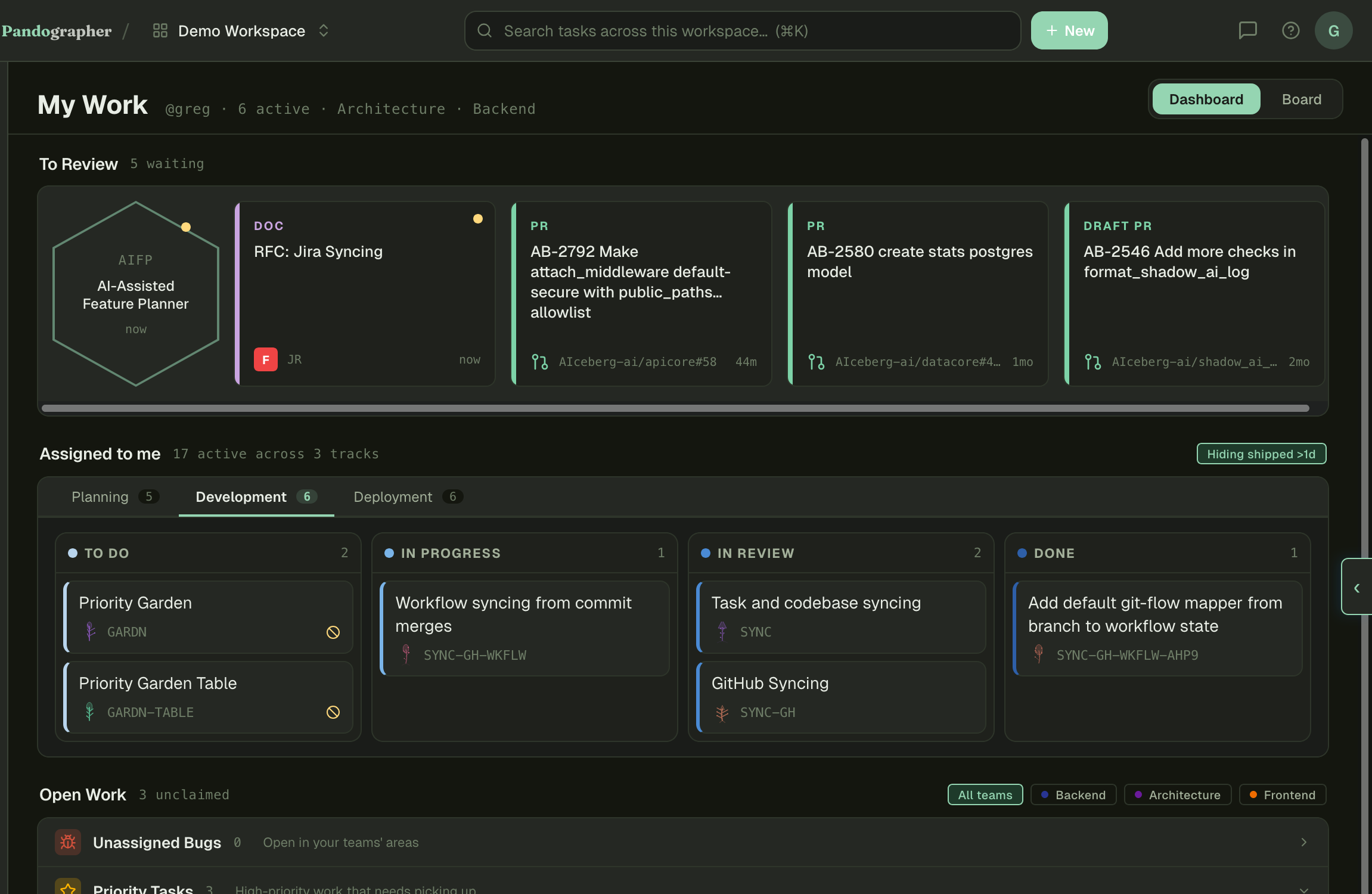
One dashboard combines what's assigned to you, what's waiting for your review, and the GitHub PRs you need to look at. No more flipping between three tabs to figure out what you're supposed to do today.
vs. the rest Most tools surface assigned tickets and stop there. Pando folds in review queue and PR context as first-class signals.
Living product documentation
Every product page assembles itself from the tickets you ship and the code that backs them, with manual sources (Confluence pages, design docs) layered in. Regenerates on demand. The docs that ship with your product are never stale because they're a derived view of the work itself.
vs. the rest External wikis drift the moment the next ticket lands. Pando keeps the product narrative bound to the work it describes.
Auto-generated weekly reports
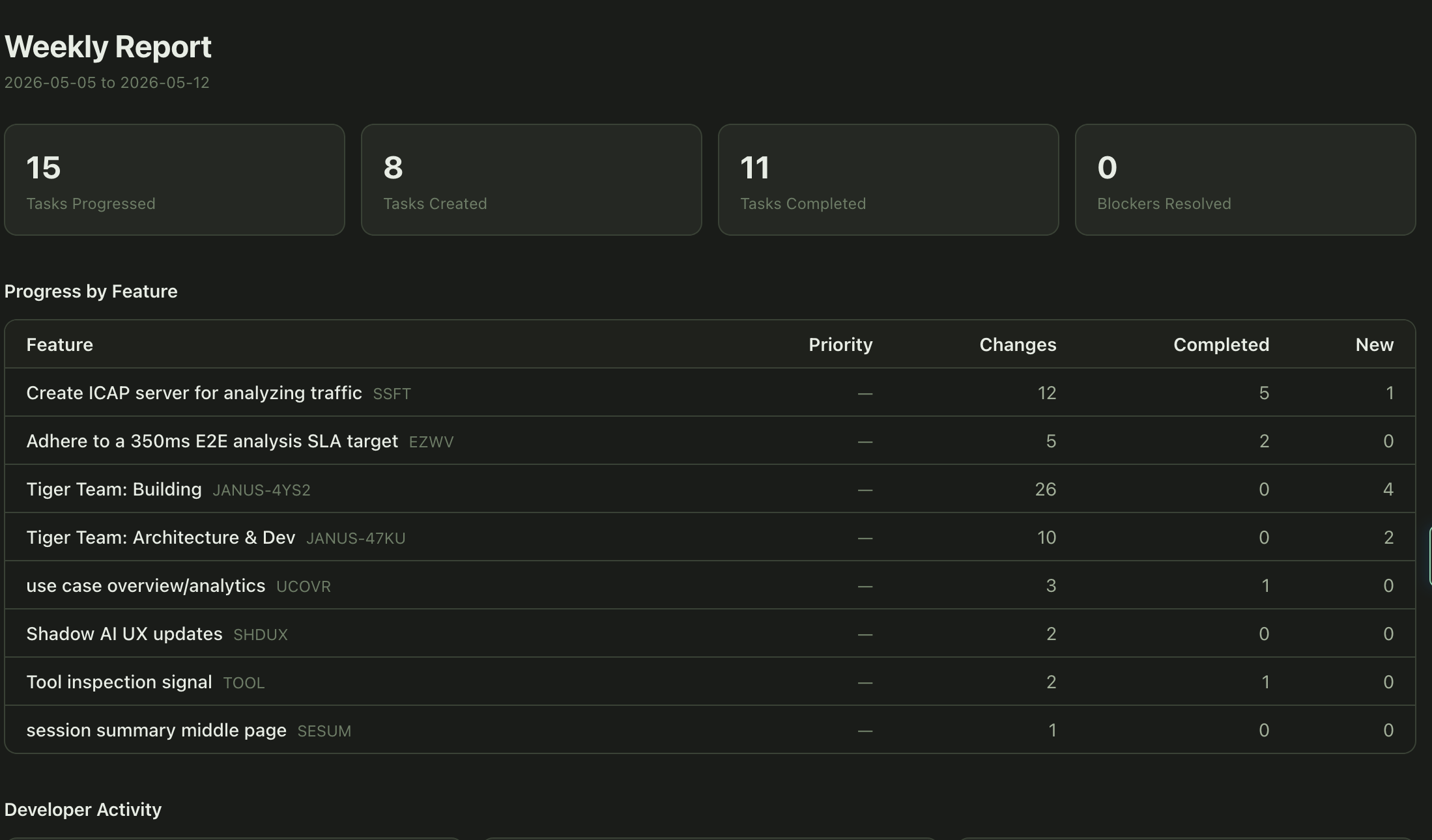
Tasks progressed, tasks completed, blockers resolved, feature-level rollups, per-developer activity — all generated from the same task history that powers everything else. Show up to your standup or business review without writing the deck.
vs. the rest Other tools sell reporting as a separate dashboard SKU. Pando treats it as a view of work that's already in the system.
Triage as a first-class workflow
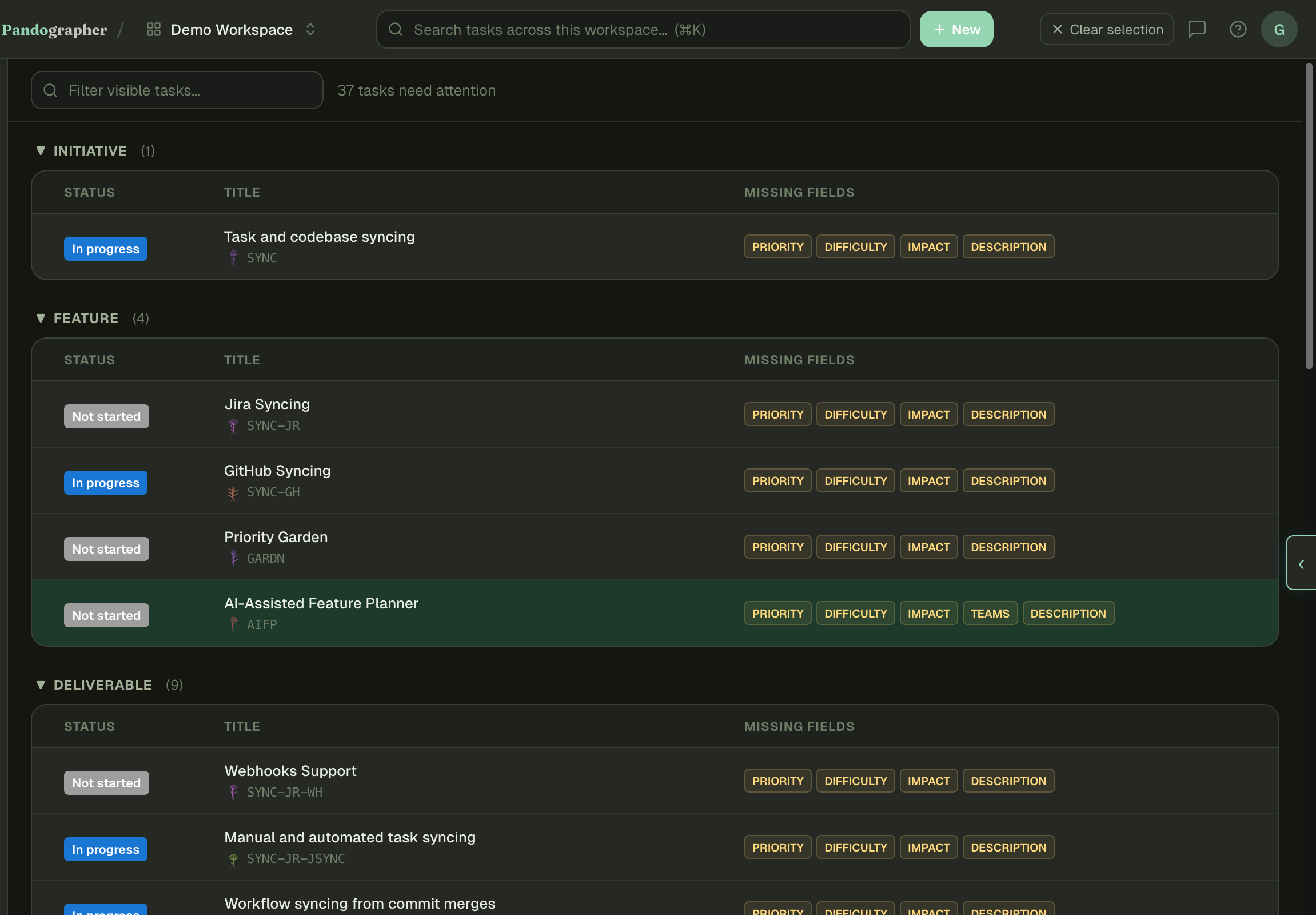
A dedicated page that surfaces every task missing priority, severity, difficulty, impact, description, or team assignment — grouped by layer. Fix the gaps in one place instead of stumbling into them later.
vs. the rest In Jira this is a saved JQL filter you build yourself. In Pando it's a route in the nav.
Two-way Jira + GitHub sync
Mirror Jira projects and GitHub issues into your DAG without flattening them. Webhook-driven updates keep both sides in step; conflicts surface in your review queue instead of disappearing into a sync log.
vs. the rest Most 'integrations' are one-way exports. Pando keeps both systems editable and reconciles on the way.
Find anything, in context
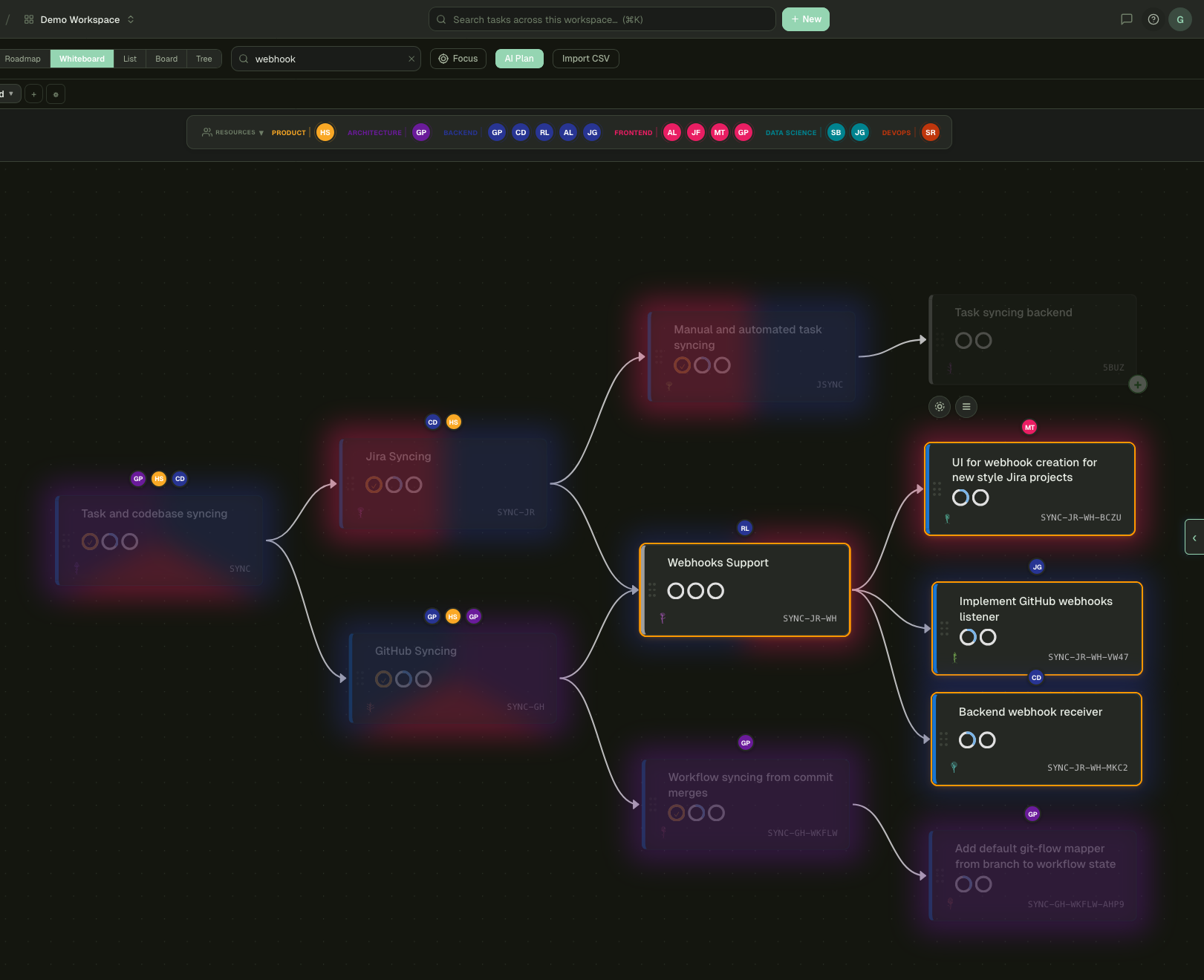
Search dims the non-matching nodes in place instead of throwing you into a list view. The topology stays — you keep the parent edges, the dependencies, the team colors — but only the relevant work is highlighted. Tracing a search hit back through its upstream work is one glance, not three clicks.
vs. the rest Other tools navigate you to a filtered list and lose the graph. Pando filters the graph itself.